KUKA youBot Simulation
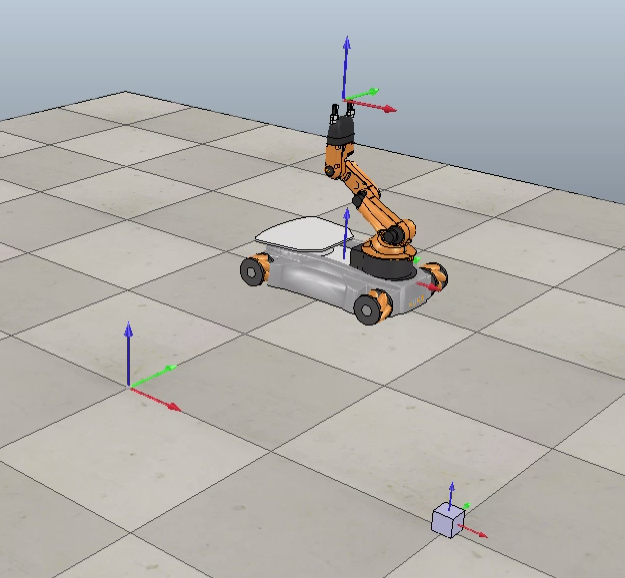
For my capstone project in the course on robotic manipulation, I developed a simulation package for controlling a Kuka YouBot to autonomously pick up and move a block within the CoppeliaSim environment. You can find the code files here.
Trajectory Generation
The desired trajectory for the manipulator was divided into eight distinct segments. The key steps involved were:
- Initialization
- Determine the initial and final positions of the block in the world frame.
- Define a standoff position above the block with the grippers angled at 45 degrees to the ground.
- Segment Computation
- Using the Modern Robotics code library, compute the trajectory for each segment
- Move from the start position to the standoff position above the initial block location.
- Descend vertically to prepare for grasping the block.
- Grasp the block.
- Ascend back to the standoff position.
- Move to the standoff position above the block’s final destination.
- Descend vertically to release the block.
- Release the block.
- Ascend back to the final standoff position.
- Testing the Desired Trajectory of the End Effector
To validate the computed trajectory, I simulated the end effector’s movement, ensuring it followed the specified path accurately.
Motion and Feedback Control
After generating the desired trajectory, I implemented a PI control algorithm to follow this trajectory. The control system compared the actual end effector position to the desired position and calculated the required end effector twist based on the PI controller constants. I had success with a proportional gain of 2 and an integral gain 15.
Simulation in Action:
The best performance was achieved with the proportional and integral gains mentioned above, resulting in smooth and accurate manipulation of the block within the simulation.